

VBA Word Footer and Header Code
In VBA Word footer and header code can be easily accomplished by starting with a recorded macro and then going from there.
The following is a simple macro, recorded with the Macro Recorder in Word. Although parts of the code may seem daunting, you should be able to modify the parts that are self explicable to achieve your desired result.
More specifically, you can record your own macro to get closer to what you are trying to accomplish, or possibly, exactly what you want.
The following is your VBA Word footer and header code...
Sub Macro11()
'
' Macro11 Macro
' Macro recorded 1/29/2007 by Jeff
'
 If ActiveWindow.View.SplitSpecial <> wdPaneNone Then
 ActiveWindow.Panes(2).Close
 End If
 If ActiveWindow.ActivePane.View.Type = wdNormalView Or ActiveWindow. _
 ActivePane.View.Type = wdOutlineView Then
 ActiveWindow.ActivePane.View.Type = wdPrintView
 End If
 ActiveWindow.ActivePane.View.SeekView = wdSeekCurrentPageHeader
 Selection.ParagraphFormat.Alignment = wdAlignParagraphCenter
 Selection.TypeText Text:="This is the Header "
 Selection.Fields.Add Range:=Selection.Range, Type:=wdFieldDate
 Selection.TypeText Text:=" "
 Selection.Fields.Add Range:=Selection.Range, Type:=wdFieldTime
 Selection.Find.ClearFormatting

 If ActiveWindow.ActivePane.View.Type = wdNormalView Or ActiveWindow. _
 ActivePane.View.Type = wdOutlineView Then
 ActiveWindow.ActivePane.View.Type = wdPrintView
 End If
 ActiveWindow.ActivePane.View.SeekView = wdSeekCurrentPageFooter
 NormalTemplate.AutoTextEntries("Filename and path").Insert Where:= _
 Selection.Range, RichText:=True
 Selection.TypeText Text:=" "
 NormalTemplate.AutoTextEntries("Created on").Insert Where:=Selection.Range _
 , RichText:=True
 Selection.TypeText Text:=" "
 NormalTemplate.AutoTextEntries("- PAGE -").Insert Where:=Selection.Range, _
 RichText:=True
 ActiveWindow.ActivePane.View.SeekView = wdSeekMainDocument
End SubTo see more ways to use the Macro Recorder, run through our free VBA tutorials.
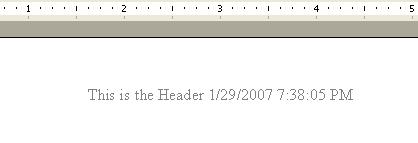
The footer produced by the code...

This
site is powered by Site Build It!. If you enjoy it, please check out
the
Site
Build It homepage to learn more and on how to build
a success-guaranteed site with no technical skills.

Return
from VBA Word Footer and Header Code to VBA
Code Samples
