

VBA Sleep Excel
VBA Sleep Excel is accomplished by using the Sleep API call. API stands for Application Programming Interface. They are functions found in Windows DLL files. You have to Declare which APIs you will be using. You can declare them only in a Module. For more information about using APIs, click here.
Here is a simple example for using the Sleep API...
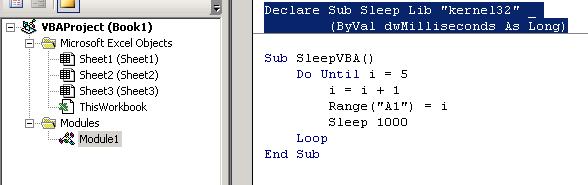
Declare Sub Sleep Lib "kernel32" (ByVal dwMilliseconds As Long)

Sub SleepVBA()
 Do Until i = 5
 i = i + 1
 Range("A1") = i
 Sleep 1000
 Loop
End Sub
Return from VBA Sleep Excel to VBA Code Samples
